How to Create an Employee Monitoring Policy for Remote Teams
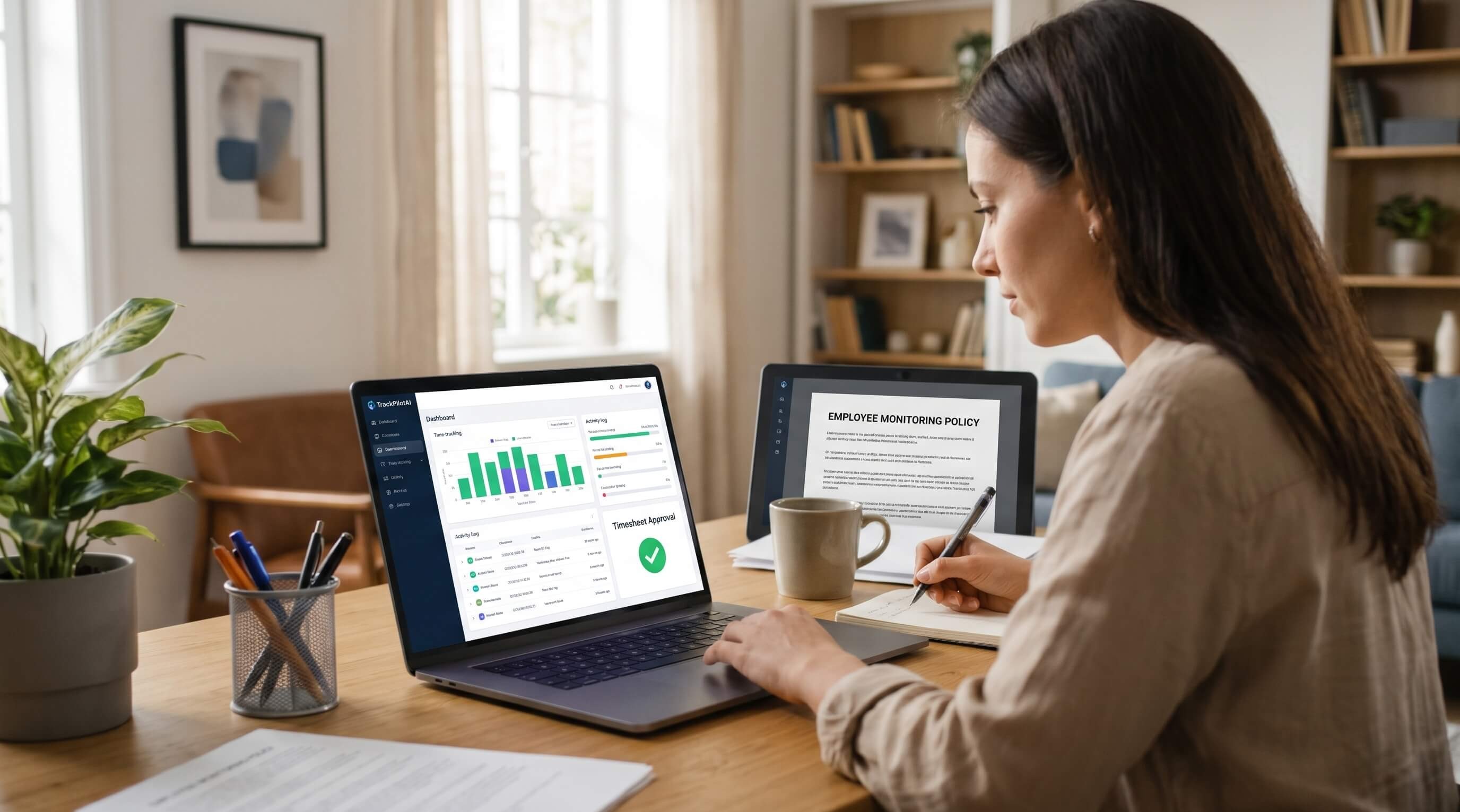
Remote teams need clear rules about working hours, activity tracking, employee privacy, and performance reviews. TrackPilotAI helps businesses record work time, review activity context, manage timesheets, and prepare reports. An effective employee monitoring policy explains what a company monitors, why it collects information, who can access it, and how the information will be used.
A monitoring policy should not focus only on software features. It should explain how monitoring works in daily operations, how employees will be informed, and how managers will review records fairly. Clear rules help remote teams understand their responsibilities while giving employers a consistent process for reviewing work.
What Is an Employee Monitoring Policy?
An employee monitoring policy is a written document that explains how a business collects and uses work-related information about its employees.
Depending on the company’s practices and software settings, monitoring may include:
Work hours and timesheet records.
Application and website activity.
Optional screenshots.
Idle-time indicators.
Project and task information.
Work reports and approval records.
The policy should describe which information is collected, when monitoring takes place, who can access the records, and how long the information is retained.
Every company should document its actual practices rather than listing every feature its software makes available.
Why Do Remote Teams Need an Employee Monitoring Policy?
Remote employees may work in different locations, time zones, and schedules. Managers need a consistent way to review work records without relying entirely on direct observation.
A clear policy can help teams in four important ways.
1. Set Clear Work Expectations
Employees should know when to record their hours, how to assign time to projects, and when timesheets must be submitted. The policy should also explain how to report breaks, correct mistakes, and request changes to time records.
2. Support Fair Performance Reviews
A screenshot or idle-time alert does not provide a complete picture of performance. Research, planning, reading, and meetings may involve little keyboard or mouse activity.
Managers should review activity information alongside completed work, project requirements, quality, and employee explanations.
3. Protect Sensitive Information
Screenshots and application records may contain confidential business or client information. The policy should identify who can access these records and explain how sensitive information will be handled.
4. Improve Time Reporting
Consistent time records and review procedures can help managers identify incorrect entries before they appear in final reports. They can also help teams understand how recorded hours relate to projects and client work..
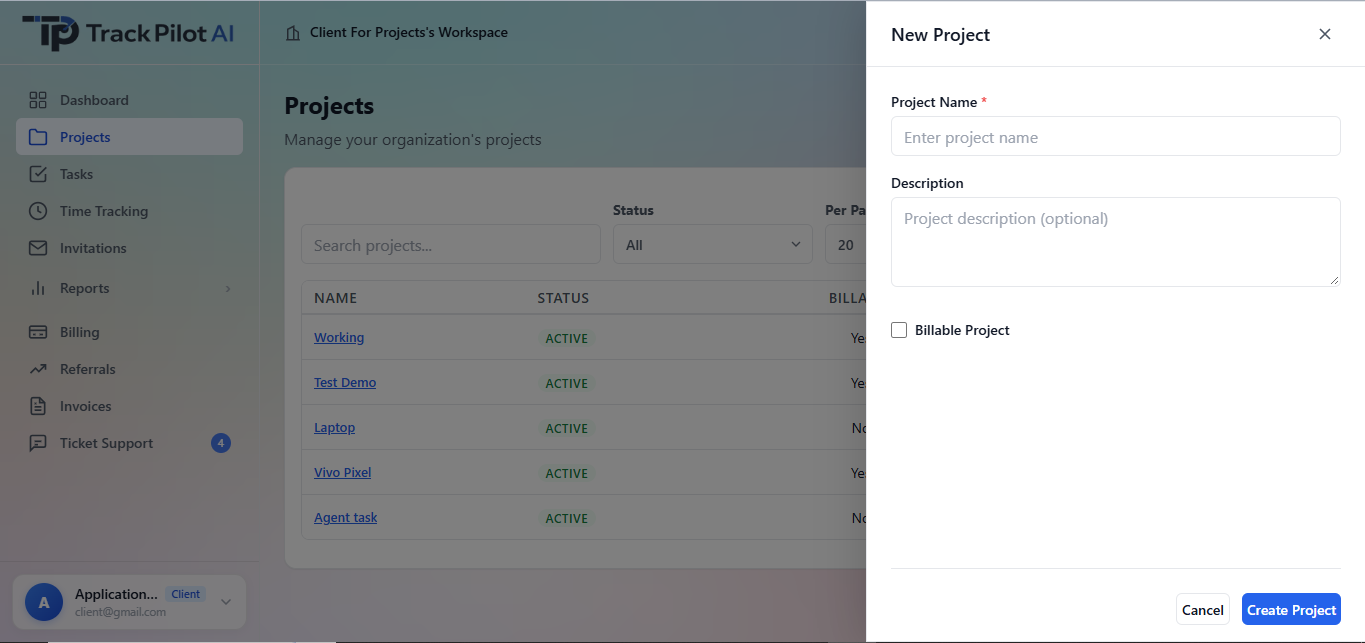
What Should an Employee Monitoring Policy Include?
A useful policy should cover the following six areas.
1. The Purpose of Monitoring
Explain why the company needs to collect work information. Common reasons include maintaining accurate timesheets, understanding project hours, reviewing work records, and preparing reports.
Avoid broad statements such as “the company monitors everything.” Employees should understand the purpose behind each monitoring practice.
2. The Information Being Collected
List the categories of information that apply to the team. These might include tracked hours, app and website activity, screenshots, idle-time indicators, and project information.
The list should reflect the company’s actual settings. If screenshots are not enabled, for example, the policy should not imply that screenshots are routinely collected.
3. When Monitoring Takes Place
Explain when tracking begins and ends, whether screenshots are enabled, and how breaks or incorrect time entries should be handled.
If the software flags an inactive period, describe how a manager will review it before changing a time record or making a performance decision. An idle-time alert alone does not prove that an employee was not working.
4. Who Can Access the Information?
Identify which roles can review monitoring records, such as authorized managers or administrators. Access should be limited to people who need the information for a defined business purpose.
The policy should also explain how employees can ask questions, report inaccuracies, or request a review.
5. Data Retention and Security
Explain how long different records are retained, how access is controlled, and what happens when information is no longer needed.
Retention periods should reflect the company’s actual practices and applicable requirements. Do not promise a particular security certification or retention period unless it has been verified.
6. Employee Questions and Corrections
Give employees a clear process for challenging inaccurate time entries, explaining unusual activity, and requesting corrections.
Managers should consider relevant context and employee explanations before making decisions based on monitoring information.
How to Create and Implement an Employee Monitoring Policy
Step 1: Identify Your Business Needs
Start by deciding what problem the company needs to solve. For example, the team may need more accurate project time records, a clearer timesheet approval process, or better reporting for remote work.
Collect only the information needed for the stated purpose. Avoid introducing monitoring features simply because they are available.
Step 2: Review Your Software Settings
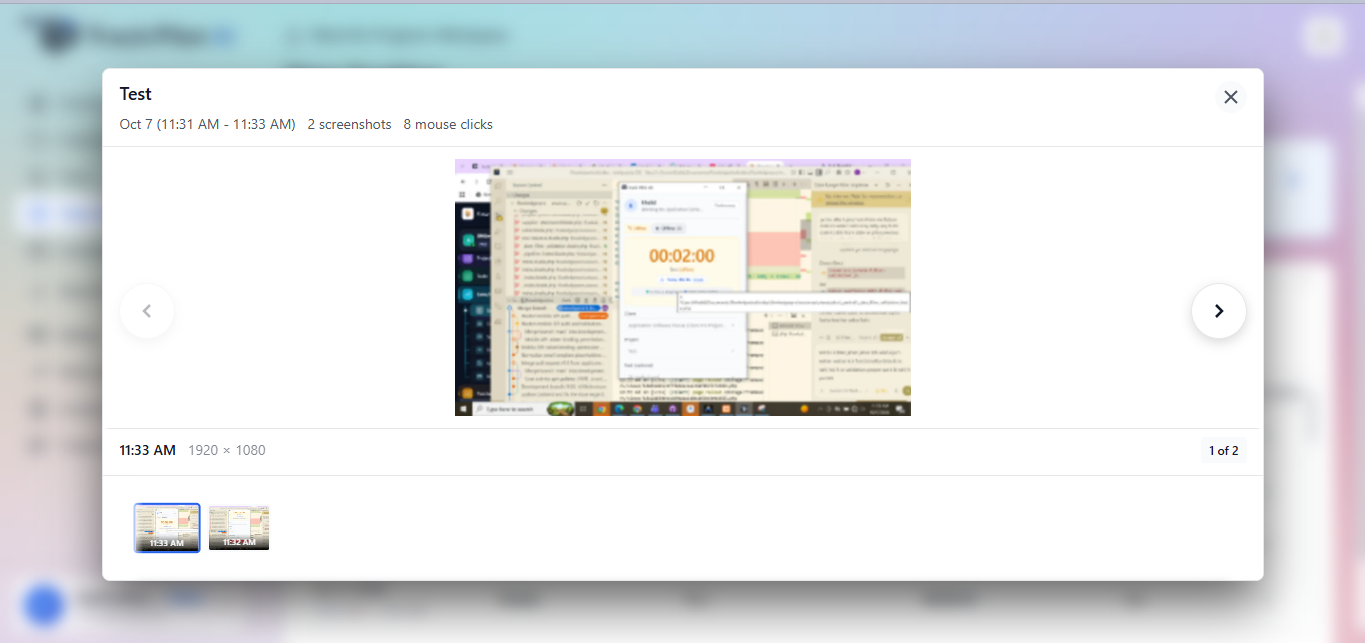
Check which monitoring features are enabled and how they operate. If screenshot monitoring is active, document when screenshots are captured, who can view them, and how long they are retained.
TrackPilotAI explains itsscreenshot monitoring features. Use the settings that actually apply to your organization when preparing the policy.
Step 3: Explain the Policy to Employees
Share the policy before introducing or changing monitoring practices. Explain what information is collected, why it is needed, when monitoring takes place, and who can review the records.
Give employees a way to raise questions and report concerns. If the company changes its monitoring practices, update the policy and communicate the changes.
Step 4: Establish a Review and Approval Process
A consistent review process helps prevent incorrect records from being used in reports or billing.
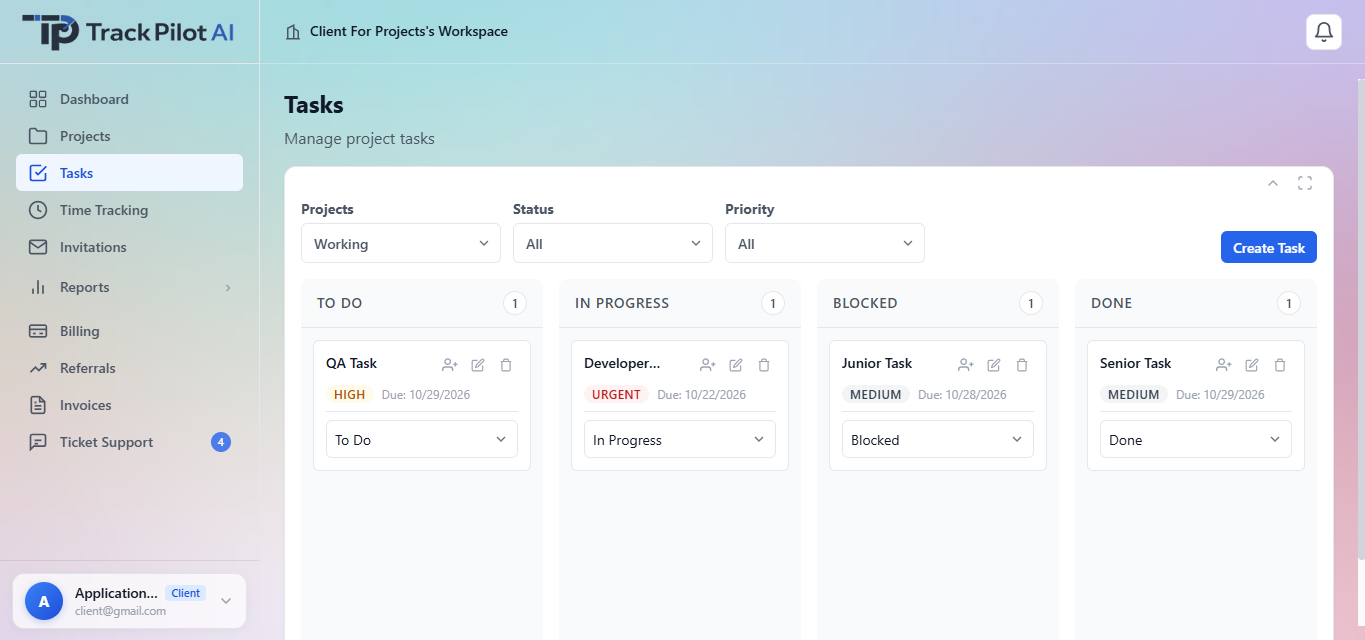
A practical workflow may include these steps:
The employee records work time.
The employee associates the time with the appropriate project or task.
The manager reviews the time record and relevant context.
Unclear or incorrect entries are discussed and corrected.
The timesheet is approved.
Approved records are used for reporting or applicable billing workflows.
TrackPilotAI explains its workflow for setting up work, tracking time, reviewing records, and sharing reports on itsHow It Works page.
Step 5: Review the Policy Regularly
Review the policy when the company changes its software, monitoring settings, data practices, or workforce arrangements.
Ask whether each type of information is still necessary. Remove unnecessary monitoring and update the policy when business practices or applicable requirements change.
How to Choose Employee Monitoring Software for Remote Teams
When comparing employee monitoring software for remote teams, businesses should consider how each platform supports their monitoring policy, review process, and privacy requirements.
Different tools focus on different needs. Some emphasize time tracking and timesheets, while others focus more on workforce analytics or detailed activity monitoring.
Employee Monitoring Software Comparison
The following table provides a starting point for comparing the main focus of each platform. Capabilities can vary by plan and configuration, so check the provider’s current documentation before making a purchase decision.
Software Best For Key Features and Main Focus What to Consider TrackPilotAI Remote teams needing time tracking and work records Time tracking, optional screenshots, app and website activity, idle detection, reports, and timesheet approvals. Define monitoring settings, employee access, data retention, and review procedures. Hubstaff Distributed and field teams Time tracking, configurable screenshots, activity data, and location-related features. Review screenshot settings, location tracking, privacy controls, and plan limits. Time Doctor Teams reviewing work hours and productivity Time tracking, app and website usage, idle-time tracking, reports, and optional screenshots. Check which monitoring features are enabled and how employee activity is reviewed. Insightful Remote and hybrid workforce analysis Activity logs, screenshots, timekeeping, app and website usage, and workforce reports. Evaluate monitoring modes, employee transparency, and access to activity records. ActivTrak Businesses analyzing team work patterns Productivity trends, app usage, activity reports, and workload insights. Consider how productivity data will be interpreted and used by managers.
TrackPilotAI combines time tracking with optional screenshot monitoring, app and website activity, idle detection, projects and tasks, reports, timesheet approvals, and invoicing workflows. Managers can review tracked information before using approved hours in reports. For an employee monitoring policy, explain when tracking is active, what information is collected, who can access it, how long it is retained, and how employees can raise questions or request corrections.TrackPilotAI
Hubstaff offers time tracking, activity data, configurable screenshots, and location-related features for supported workflows. When writing an employee monitoring policy, document whether screenshots or location tracking are enabled, when they operate, and what privacy controls apply.Hubstaff
Time Doctor provides time tracking, app and website usage tracking, idle-time tracking, projects and tasks, and optional screenshots or screen recordings, depending on configuration. For a monitoring policy, specify which tracking options are enabled, when tracking begins and ends, and how activity information is reviewed.Time Doctor
Insightful provides employee activity monitoring and workforce analytics, including app and website usage, screenshots, activity logs, timekeeping, and reports. Explain whether tracking is visible, which activity records are collected, and which authorized managers can access employee-level data.Insightful
ActivTrak focuses on productivity analytics, app and website activity, work-pattern reporting, and workload insights. In an employee monitoring policy, explain how activity data will help managers understand work patterns and improve processes rather than treating one metric as a complete measure of performance.ActivTrak
Questions to Ask Before Choosing a Tool
Use these questions to evaluate whether a platform fits your policy:
Time tracking: Can employees record hours and correct inaccurate entries?
Activity context: Can managers review information without relying on one metric alone?
Screenshot controls: Can screenshot monitoring be configured to match the company’s policy?
Reports and approvals: Can records be reviewed before they are used in reports?
Access permissions: Can access be restricted to authorized people?
Data handling: Can the company explain what is collected, why it is needed, and how long it is retained?
For businesses looking for remote employee time tracking software, the time-tracking page is the most relevant destination for explaining the product’s time-recording features. The policy should also describe how employees submit, correct, and approve their time records.
Choose software based on the team’s workflow, budget, data requirements, and privacy expectations—not on the number of features alone.
Employee Monitoring Laws and Privacy in the United States
Employee monitoring requirements can vary by state, the type of information collected, the devices involved, and the circumstances of monitoring.
Businesses should not assume that one policy automatically satisfies every legal requirement across the United States.
Before introducing monitoring, explain the purpose of collecting information, communicate relevant practices, limit access to appropriate people, and establish suitable data-handling rules. Seek qualified legal advice when assessing requirements for particular states or employee groups.
A responsible policy prioritizes transparency, proportionate data collection, appropriate access, and human review. Using monitoring software does not, by itself, guarantee legal compliance.
Employee Monitoring Policy Checklist
Before introducing the policy, confirm that it:
Identifies the purpose of monitoring.
Lists the information actually collected.
Explains when tracking takes place.
Describes who can access records.
Sets out retention and security practices.
Provides a process for correcting inaccurate records.
Explains how managers review activity data.
Addresses relevant legal requirements.
Has been shared with affected employees.
Will be reviewed when practices change.
Conclusion
A useful employee monitoring policy gives remote teams clear expectations about time tracking, activity records, screenshots, privacy, and timesheet reviews. It explains the purpose of monitoring, limits access to relevant information, and provides a fair process for correcting mistakes.
TrackPilotAI offers time tracking, optional screenshot monitoring, activity context, reporting, and timesheet approval capabilities that businesses can evaluate when designing their workflows. The policy should always reflect the features actually enabled and the requirements that apply to the organization.
The goal is not to collect the most data. It is to collect appropriate information, explain its use, and review it responsibly.
No comments yet
Be the first to share your thoughts and start the discussion.