Record time against the right work
Start with the project or task that gives the entry useful context.
Core feature
Record work time against a project or task, review corrections and use the resulting record in your reporting workflow.
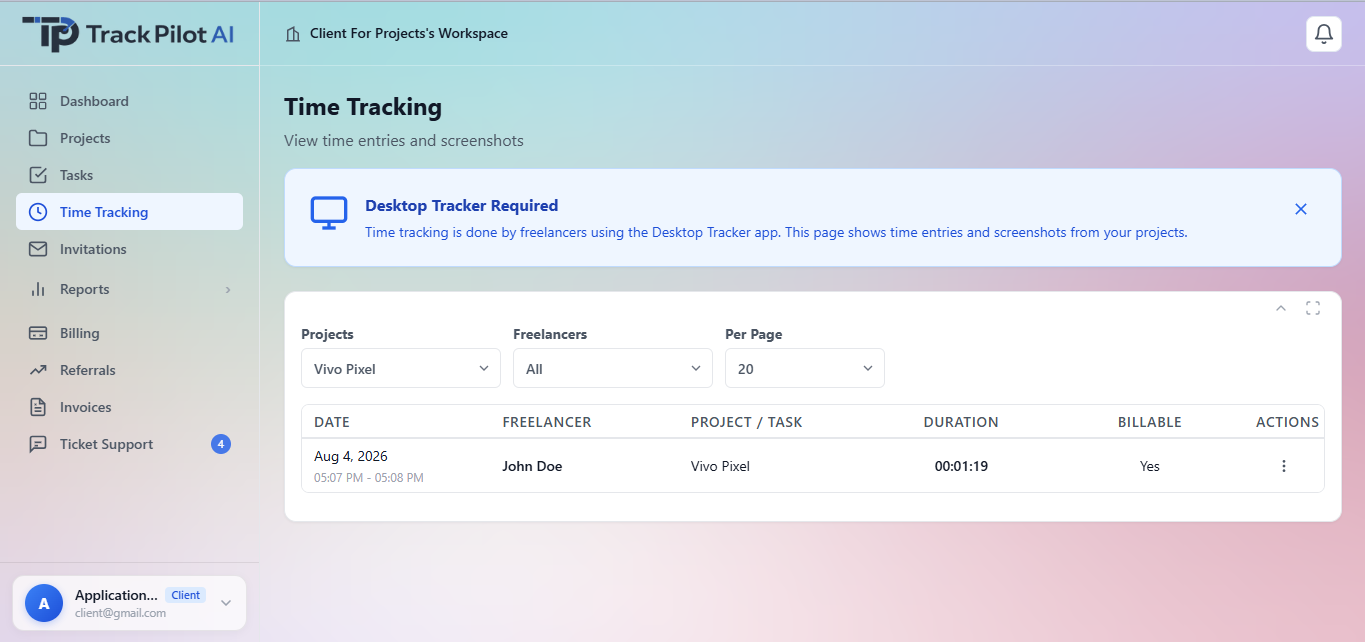
Start with the project or task that gives the entry useful context.
Check the record and any corrections before it moves into reporting.
Connect time to projects, approvals and reports so the next conversation has a clear source.
Review-first workflow
Connect each session to the project or task it supports, capture time while the context is fresh, and review the result before it becomes part of a report, timesheet, or approval.
Start from the project or task that describes the work before recording the session.
Capture time while the relevant context is still fresh.
Check corrections, then use the reviewed record in reporting or approval.
A reviewable record makes scope and billing questions easier to answer because the source stays connected to the work instead of being reconstructed from memory.
For example, a distributed delivery team can clarify an unusual entry with the contributor and use the reviewed record in its weekly report.
Who it supports
Time tracking is most useful when contributors can connect an entry to the project or task it supports and reviewers can understand what should happen next.
Record work close to the session while the project and task context is still fresh.
Review unusual entries or corrections against the work they describe.
Carry reviewed time into reports or the supported invoice workflow without rebuilding the week.
Where it fits
A project-aware record can support weekly review, delivery planning, or a client question. It should complement the team’s process for corrections and approvals rather than silently deciding whether work was valid.
Explore the related feature pages for the next steps in this workflow.
Review the features and current plans, or contact the team with a specific requirement.