Freelancers
Review tracked time, assigned work, and available activity context for their sessions.
Solution
Give freelancers a clear view of their tracked work while clients and managers review project progress, time, and available activity context in one workspace.
Review the work together
A freelancer can check tracked time and the work context attached to a session. A client or manager can review the freelancer’s project, task, report, and available activity evidence when a delivery question needs more detail.
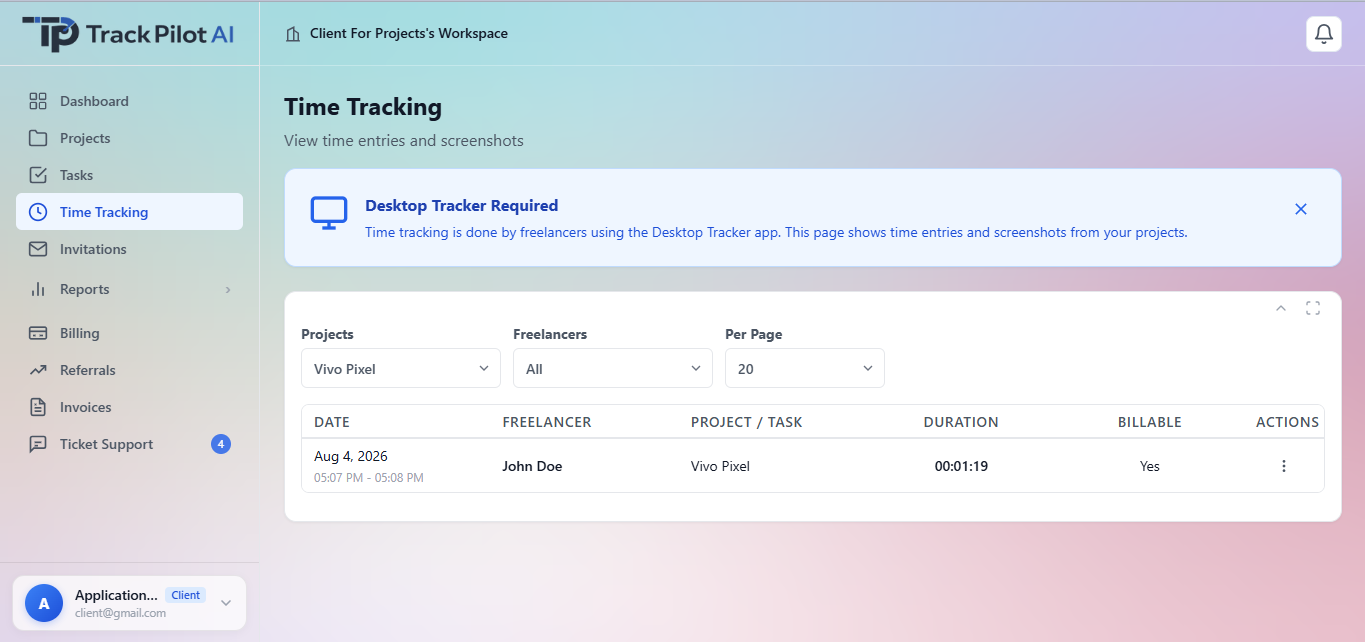
Who it supports
Productivity context is most useful when freelancers can understand their own record and authorized clients or managers can review the related project work alongside its source records.
Review tracked time, assigned work, and available activity context for their sessions.
Review freelancer projects, tasks, reports, and available activity evidence according to permissions.
Approve, accept, or reject freelancer tracking records according to the configured review workflow.
Where it fits
Keep activity beside time, projects, tasks, and outcomes. The shared record can clarify delivery questions and remove friction, but it should not be treated as an automatic measure of performance.
Use activity context and reporting as review signals, with monitoring boundaries kept visible throughout the workflow.
Review the features and current plans, or contact the team with a specific requirement.