Keep the client work clear
A billing record should explain the project or task behind the hours. Review the recorded effort before preparing a client-facing amount.
Invoice workflow
Review billable work and project context before preparing a client-facing billing output.
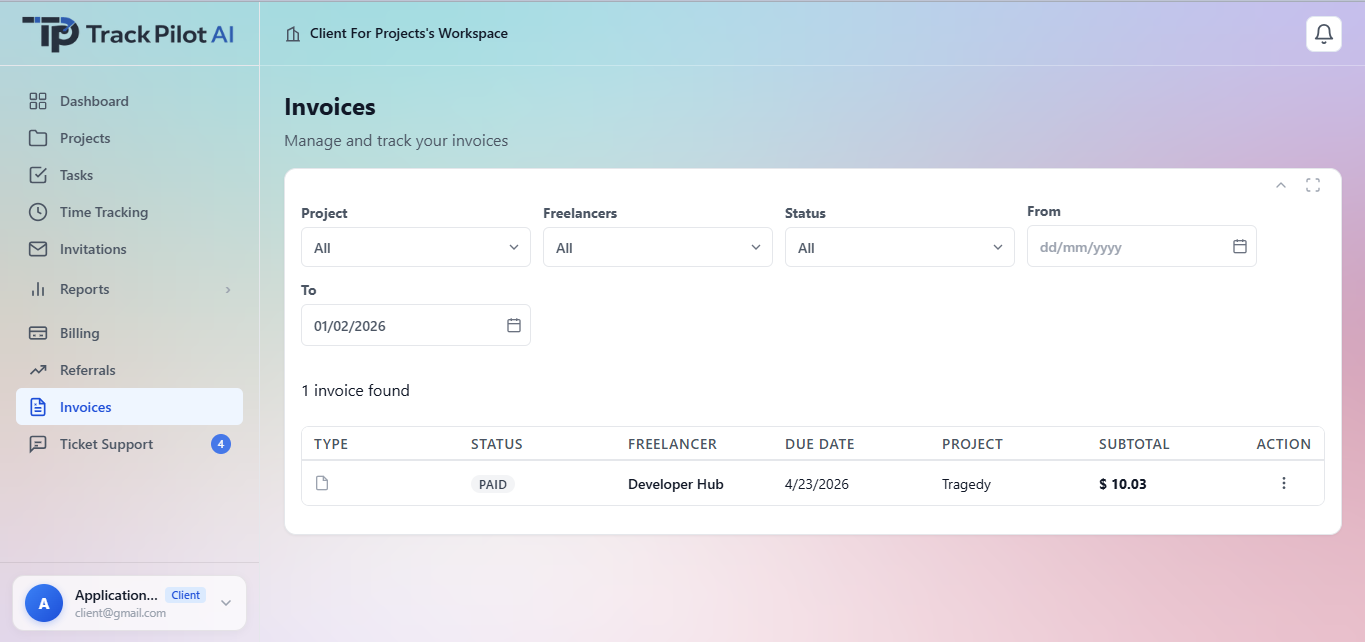
A billing record should explain the project or task behind the hours. Review the recorded effort before preparing a client-facing amount.
Resolve corrections and approval questions before the time record enters the billing workflow. Keep the source of the hours understandable.
After billable time has been reviewed, prepare the appropriate client-facing record for your process. Depending on the workflow, this may be an invoice or a supporting time report. Before sharing it, verify the project details, approved hours, billing period, notes, and totals. Contact the Track Pilot AI team if you need to confirm whether a particular output or format is supported.
Keep the billing workflow connected by organizing work in projects and tasks, resolving time through approvals, and using reportsto provide supporting detail.
Who it supports
The invoicing workflow connects approved freelancer time with project invoice so authorized clients and managers can create, review, and manage invoice records for client work.
Create and manage project invoices using approved freelancer time and the invoice details available to the workspace.
Receive invoice email notifications through the configured workflow and review the relevant project information.
Resolve time, project, and invoice questions before the invoice record is shared or followed up.
Where it fits
Use this workflow when project invoice should remain connected to approved time and project context. Confirm configured invoice fields, statuses, email notifications, permissions, tax, payment, and accounting behavior before publishing detailed claims.
Explore the related feature pages for the next steps in this workflow.
Review the features and current plans, or contact the team with a specific requirement.