Start the tracker
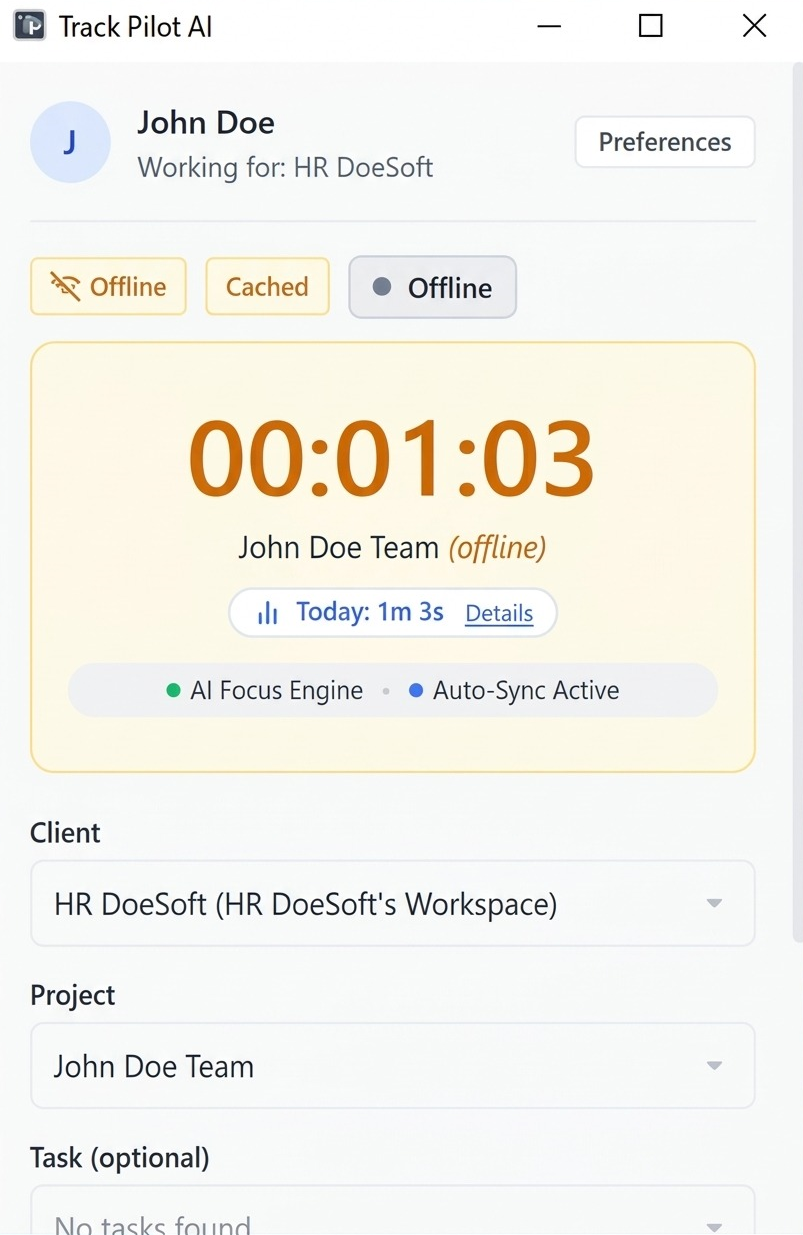
The freelancer starts a session from the supported desktop tracker and selects the project or task that describes the work.
Solution
Give freelancers and distributed teams a clear way to start and stop work sessions, keep time connected to projects and tasks, and review the record when connectivity changes.
From session to reviewed record
The tracker should fit the freelancer’s workday: start when work begins, stop when the session ends, and keep the completed record available for review even when the connection is not perfectly stable.
The freelancer starts a session from the supported desktop tracker and selects the project or task that describes the work.
The freelancer stops the session when the work block is complete, leaving a time record that can be reviewed instead of relying on memory.
If connectivity changes, the supported desktop workflow can reconnect and synchronize completed records so the result can be checked before reporting.
Supported desktop tracking can continue according to the configured offline behavior. When connectivity returns, completed time can reconnect and synchronize for review. Check the project, task, duration, and any available activity context before using the record in a report or approval workflow.
Use project and task context, approval workflows, and reports to review what the synchronized time supports.
Who it supports
The supported desktop workflow gives contributors a clear start and stop point, while project context and synchronization make the resulting record easier to review.
Start and stop work sessions against the project or task they are completing.
Check duration, context, and synchronized records before relying on a total.
Use reviewed time in reports, approvals, and supported billing preparation.
Where it fits
A useful time workflow does more than count minutes. It keeps the work context visible from start to stop, gives connectivity changes a reconciliation path, and leaves a review point before the record moves forward.
Connect time capture with offline records, projects, approvals, and reports as the work moves from entry to review.
Review the features and current plans, or contact the team with a specific requirement.