Prepare a record for review
Make sure the entry refers to the right project or task and contains enough context for the reviewer to understand it.
Governance
Create a clear handoff between recorded work, review, correction and reporting.
Make sure the entry refers to the right project or task and contains enough context for the reviewer to understand it.
Discuss unclear entries and resolve corrections before accepting the record. Explain the decision to the people involved.
Keep the approval context connected when preparing a report or billing output. Follow the current product workflow for any subsequent edits.
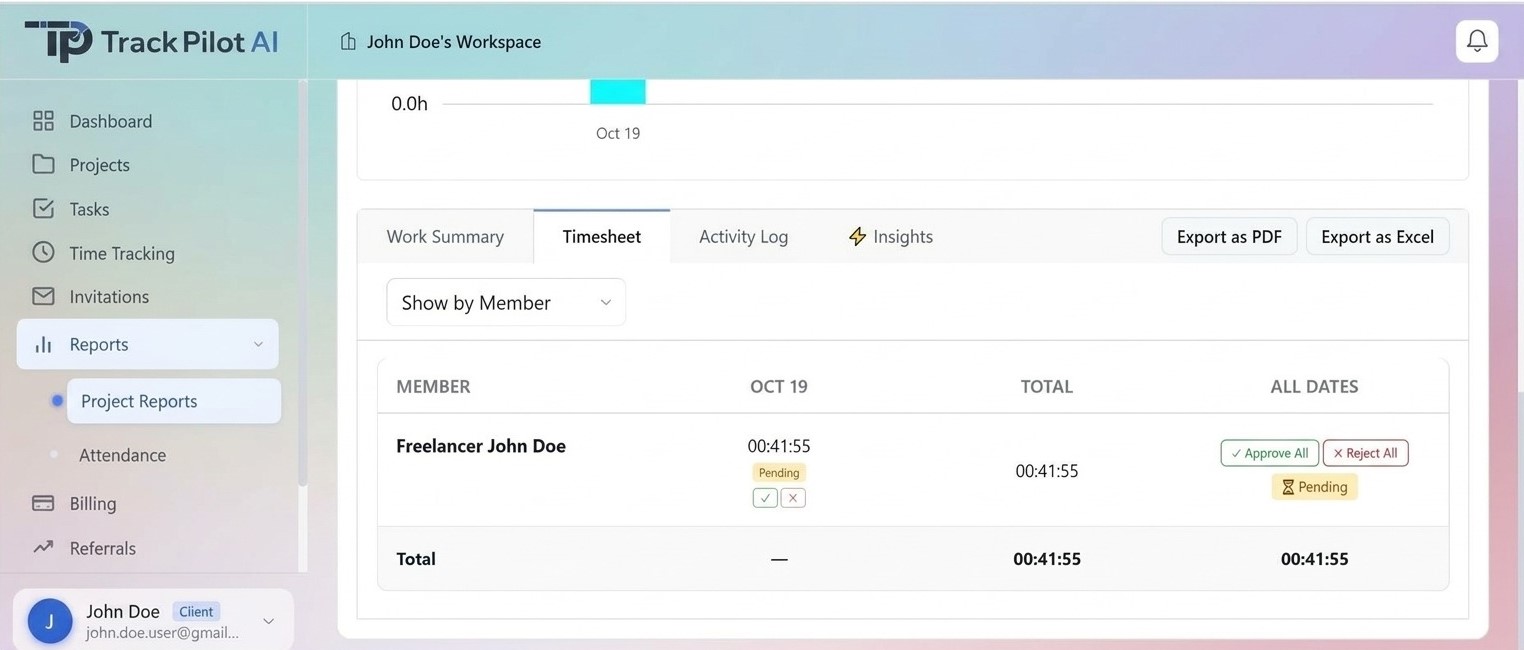
Managers, clients, and other authorized reviewers can use the configured approval workflow to accept or reject submitted freelancer time. Rejected records should return to the supported correction process, while approved records can move into reporting or supported billing preparation.
Connect approvals to time capture, project tasks, and reporting.
Who it supports
Timesheet approvals give authorized clients and managers a visible decision point for submitted freelancer time before it reaches reporting or supported invoice preparation.
Submit completed time with the project, task, and period context needed for review.
Accept accurate timesheets or reject entries that need a correction or explanation.
Use approved results as the source for reporting or supported invoice preparation.
Where it fits
Approvals work best when the reviewer can see what changed and why. Confirm the configured reviewer roles, approval states, correction path, locking, reopening, and notification behavior before documenting a detailed process.
Connected workflow
Let authorized clients and managers review submitted freelancer timesheets, approve accurate records, or reject entries that need correction before reporting.
How it works
The freelancer submits completed time with its project, task, and reporting-period context.
An authorized client or manager reviews the entry, accepts it when it is ready, or rejects it when a correction or explanation is needed.
Carry approved time into reports and supported billing workflows after review questions are resolved.
What it helps solve
Approval is easier to act on when clients and managers can see the time, task, and project context behind a freelancer’s submission. A clear decision keeps the next step visible.
In practice
A client manager reviews a freelancer’s pending timesheet, approves the accurate entries, rejects one that is assigned to the wrong task, and uses the corrected approved record in the project report.
Explore the related feature pages for the next steps in this workflow.
Review the features and current plans, or contact the team with a specific requirement.