How Employee Activity Monitoring Supports Modern Teams
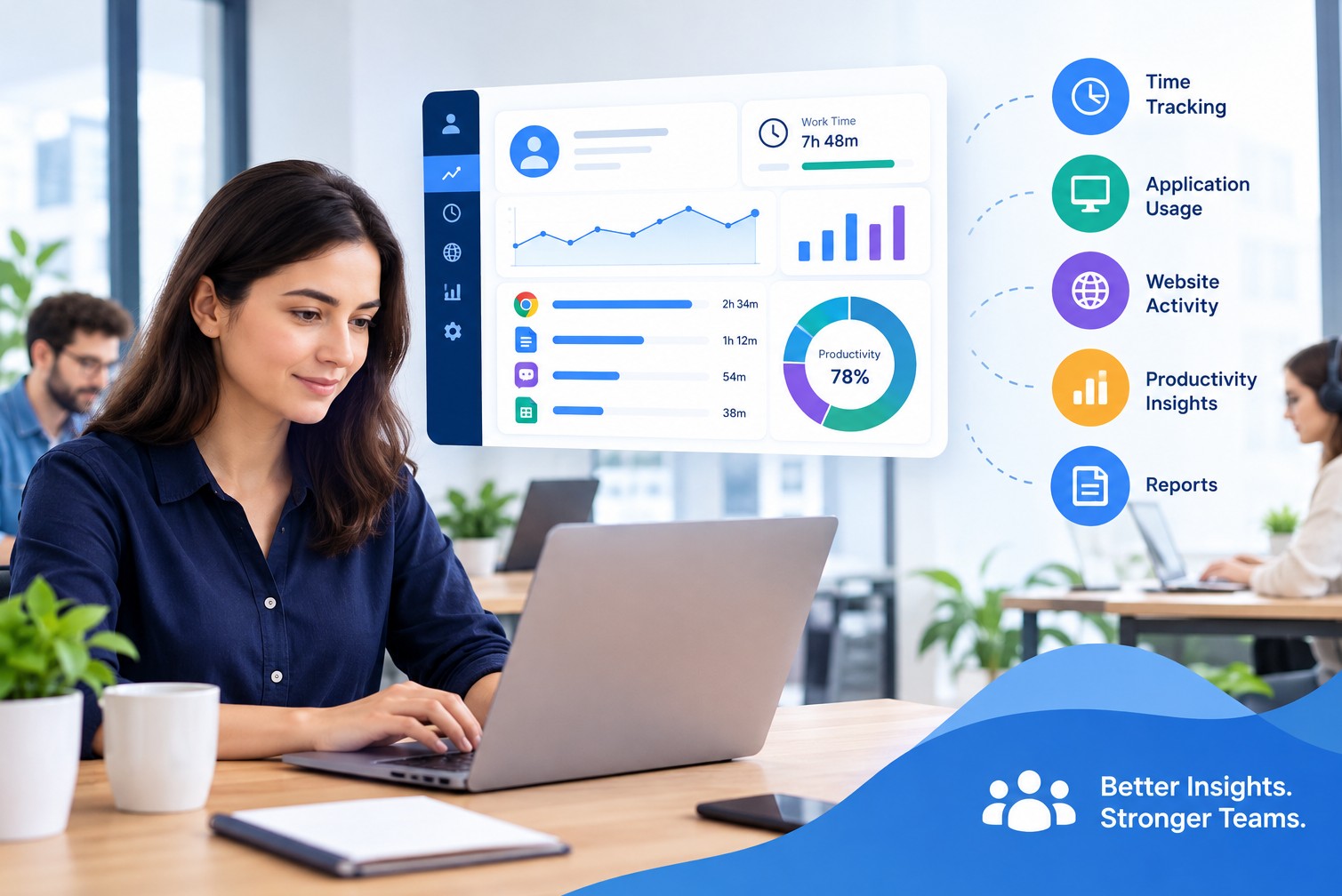
Modern teams often work across offices, homes, and different time zones. This makes it harder for managers to understand work patterns and identify problems early. Track Pilot AI helps businesses gain better workforce visibility through time tracking, activity insights, productivity data, and reporting.
Employee Activity Monitoring gives managers useful information about how work time is used while helping teams improve processes and stay organized.
What Is Employee Activity Monitoring?
Employee activity monitoring is the process of using software to collect and organize work-related activity data during defined working periods.
Depending on the software and settings, this may include:
Time spent working
Application usage
Website activity
Active and inactive periods
Project or task activity
Work-time trends
Productivity reports
The goal is to turn activity information into useful insights. A business can use these insights to understand work patterns, improve workflows, plan resources, and support remote or hybrid teams.
Employee monitoring alone does not provide a complete picture of performance. Work quality, completed tasks, communication, creativity, customer service, and business outcomes also matter.
Why Do Modern Teams Need Activity Monitoring?
Work has changed significantly. Many employees now work remotely or follow hybrid schedules. Managers may have fewer opportunities to observe daily work processes directly.
Activity monitoring can provide another source of information for workforce management.
For example, a manager may want to understand why a project is taking longer than expected. Instead of guessing, the manager can review available time and activity data to identify possible causes.
The issue might be excessive meetings, repeated administrative tasks, frequent interruptions, or an inefficient workflow rather than a lack of employee effort.
This makes activity data more useful when it is treated as a tool for understanding work, not simply watching people.
How Does Employee Activity Monitoring Support Teams?
1. Improves Workforce Visibility
Managers need visibility into team activity to make informed decisions. This can be challenging when employees work from different locations.
Activity monitoring provides structured information about work patterns. Managers can review time, projects, applications, and other available data without relying entirely on manual updates.
Better visibility helps managers spot workload changes and areas that need attention.
2. Supports Remote and Hybrid Teams
Remote teams can face communication and coordination challenges.
Managers cannot always see when employees are working, which tasks are taking longer, or where project delays are developing.
Activity data can provide additional context. Combined with project management and regular communication, it can help managers understand how distributed teams work.
The software should complement communication, not replace it.
3. Helps Identify Workflow Problems
Not every productivity issue is caused by an employee.
A team may spend too much time on:
Repetitive data entry
Unnecessary meetings
Manual reporting
Switching between multiple applications
Waiting for approvals
Poorly defined tasks
Repeated revisions
Activity and time data can help reveal these patterns.
Managers can then focus on improving the process instead of assuming issues with individual employees.
4. Makes Time Tracking Easier
Manual time tracking can require employees to remember when they started tasks, stopped working, or changed projects.
Activity monitoring tools can provide automated or semi-automated time information, depending on the platform.
This can make time records easier to review and may help businesses understand how much time different projects require.
Accurate time information can also support project estimates and resource planning.
5. Supports Productivity Analysis
Productivity analysis involves looking at work patterns and outcomes over time.
For example, managers might compare:
Planned project hours
Actual tracked hours
Task completion
Work activity trends
Team workload
Project deadlines
These metrics can help identify areas for improvement.
However, productivity should not be reduced to a single number. High computer activity does not automatically mean high-value work, and low activity does not automatically mean poor performance.
6. Helps With Project Planning
Historical activity data can help businesses make better project estimates.
Suppose a company estimates that a certain type of project will require 100 hours. After completing several similar projects, its data shows that the average workload is closer to 120 hours.
That information can help managers create more realistic future estimates.
Over time, work-time data can become a useful planning resource.
What Types of Data Can Businesses Monitor?
The information available depends on the software, configuration, and company policy.
Common categories include:
Time Data
Hours worked, tracked sessions, and project time.
Application Activity
The applications employees use during tracked periods.
Website Activity
Websites accessed during configured work sessions.
Project Activity
Time or activity associated with specific projects or tasks.
Productivity Insights
Patterns that help managers understand how work time is being used.
Reports
Summaries that make employee, team, or project information easier to review.
Businesses should decide which information is actually useful before enabling monitoring features.
How Can Businesses Use Monitoring Responsibly?
Responsible employee monitoring starts with transparency.
Employees should understand what information is collected and why the organization needs it.
A clear monitoring policy should explain:
What is tracked
When tracking occurs
Why data is collected
Who can access the information
How data is protected
How long information is retained
How employees can raise questions
Businesses should also collect information for a legitimate business purpose, not simply because the technology makes it possible.
For US businesses, privacy and employment requirements can vary by state and situation. Companies should review applicable requirements and seek qualified legal advice for specific compliance questions.
Employee Activity Monitoring vs. Performance Management
Activity monitoring and performance management are related, but they are not the same.
Activity monitoring focuses on work-related signals and patterns. Performance management looks at broader factors such as goals, results, work quality, collaboration, skills, and development.
For example, a customer support employee may spend time reading customer messages and preparing a detailed response. A basic activity metric may not capture the quality of that work.
That is why managers should use activity information as one source of evidence, not as the only measure of employee performance.
Best Practices for Modern Teams
Set a Clear Purpose
Define what problem the organization is trying to solve before selecting monitoring features.
Use Relevant Metrics
Focus on information that helps with time management, project planning, workflow improvement, or workforce visibility.
Communicate With Employees
Explain monitoring policies clearly and allow employees to ask questions.
Review Trends
A single unusual activity period may not mean much. Longer-term patterns often provide better context.
Protect Collected Data
Limit access to authorized people and use appropriate security and data-handling practices.
Combine Data With Outcomes
Compare activity information with completed work, project goals, quality, and other performance indicators.
Review Policies Regularly
Team structures and technology change. Review monitoring practices to ensure they remain necessary and appropriate.
Case Study 1: Remote Marketing Team
Consider a hypothetical marketing agency with 20 remote employees.
The agency notices that several campaigns are regularly delayed. Managers initially believe the team needs to improve productivity.
Instead of making that assumption, the company reviews project time and activity patterns.
The data shows employees spend a lot of time moving between communication tools, content platforms, spreadsheets, and approval systems.
The company simplifies its approval process and reduces unnecessary tool switching.
The activity data helps the business identify a workflow problem instead of incorrectly blaming employees for the delays.
This demonstrates how monitoring data can support better operational decisions.
Case Study 2: Software Development Team
Consider a software company managing multiple client projects.
Project managers frequently underestimate development timelines. After reviewing historical time and activity data, they find that testing, debugging, and client revisions take longer than originally planned.
The company updates its project estimates and allocates more realistic time to these stages.
Historical work data becomes a planning tool that helps the company improve future project estimates.
The lesson is that employee activity data can have value beyond monitoring. It can also help businesses understand how work is structured.
What Should Businesses Look For in Monitoring Software?
The right platform depends on the company's needs, but businesses should consider several areas before deciding.
Look for:
Automatic time tracking
Activity monitoring controls
Productivity insights
Project and task tracking
Clear dashboards
Flexible reporting
User permissions
Privacy settings
Data security features
Scalability for growing teams
Ease of use also matters. A system that produces large amounts of complicated data may be less useful than one that clearly presents a smaller amount of relevant information.
Conclusion
Employee activity monitoring gives modern teams useful visibility into work time, application activity, project effort, and productivity patterns. For remote and hybrid businesses, this information helps managers understand how work is progressing without relying entirely on manual reports.
The best approach is not to monitor everything. Businesses should collect only relevant information, communicate their policies clearly, protect employee data, and use activity metrics alongside actual work outcomes.
When used responsibly, employee activity monitoring can support better time management, project planning, workforce visibility, and workflow improvement. It is most valuable when managers use the data to identify problems and improve how teams work.
No comments yet
Be the first to share your thoughts and start the discussion.